How to roll back to old WordPress Classic Editor
WordPress 5.0 arrives with block-based editor, new default theme, and developer features
- How to revert to previous WordPress Classic Editor version or How to get back old classic WordPress editor or How to Roll back to previous WordPress editor or How to get rid of new Wordpress 5 block editor?
WordPress has recently launched new update (WordPress 5.0)
Basic Usage Basic Administration Customizing Maintenance Security Advanced Topics Troubleshooting Version 5.0 TOPICS Highlights New Block Editor New Default Theme: Twenty Nineteen Classic Editor For Developers On December 6, 2018, WordPress Version 5.0, named for jazz musician Bebo, was released to the public. WordPress 5.0 will revolutionize content editing with introduction of a new block editor and block editor-compatible default theme Twenty Nineteen. For more information on this release, read the WordPress Blog. For Version 5.0, the database version (db_version in wp_options) updated to 43764, and the Trac revision was 43970.
Gutenberg Editor — A WordPress 5.0 Update!

What is Gutenberg?
Gutenberg is the new editor of WordPress, named after Johannes Gutenberg. Gutenberg makes your content visibility and management more powerful than default TinyMCE editor. They are embracing “little blocks” and hope to add more advanced layout options. They are focus on editor, customizer, widgets and other minor improvements of UX. For now Gutenberg is on beta version and it will introduce on WordPress 5.0 version.
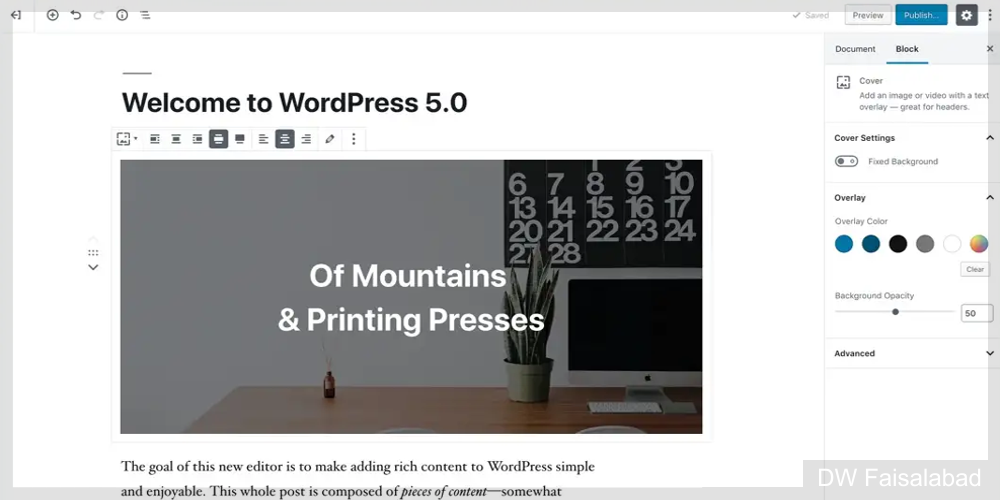
The editor will create a new page- and post-building experience that makes writing rich posts effortless, and has “blocks” to make it easy what today might take shortcodes, custom HTML, or “mystery meat” embed discovery.
— Matt Mullenweg
When it will be introduced into WP core?
It will be introduced with WordPress 5.0 version; for now it’s a standalone plugin, which should be merged with the WP core. As per Matt Mullenweg, Estimated time of WP 5.0 is April 2018 but the exact date is not announced yet. The plugin is being actively developed right now by a dozen contributors for now you can install the plugin from wordpress.org.
Gutenberg vs Page builders
There are many of successful page builders are in market like Divi Builder, Visual Composer, Page Builder by SiteOrigin, Themify Builder etc. So, the question is what difference between Gutenberg and other page builders? Gutenberg is definitely good in comparison of other free page builders, but the premium page builders like visual builder, divi builder, king composer is more easy and UI/UX for both users and developers end. Here some of benefits to use other page builders:
- True multi-column support.
- An extensive component library.
- 3rd party communities building extensions.
- Advanced styling options.
- Seamless integrations with certain premium themes.
- Theme developers featuring and integrating for those builders.

How Gutenberg works?
Gutenberg is replaced with TinyMCE editor with lots of individual little blocks. These blocks are helps to create complex layout in current WordPress editor. Here is listed all blocks and can customize it in the editor.
“The goal of the block editor is to make adding rich content to WordPress simple and enjoyable.”
– From the Gutenberg plugin description on WordPress.org
Here are some of pros of Gutenberg:
- Easy to Adding, moving & aligning blocks.
- Streamlines the writing process.
- Quick embedding blocks.
- Allows you to build complex layouts with little knowledge.
- Creative interactive templates.
- Mobile-friendly.
- Solid HTML5 output.
Here are some of cons of Gutenberg:
- It’s beta version so there is missing markdown support for now.
- Doesn’t support responsive columns yet.
- Involvement of bugs.
- REST is required because the entire Gutenberg interface is built using JavaScript.
- Difficult to use for new users/non-technical users.
Some myth about Gutenberg:
- Gutenberg will be released soon.
- It is a page builder.
- It is completely replacing TinyMCE.
- Can’t turn off Gutenberg.
- No support for meta boxes.
- No support for custom post types.
- Shortcodes will not work.
How to get back to WordPress Old Classic Editor
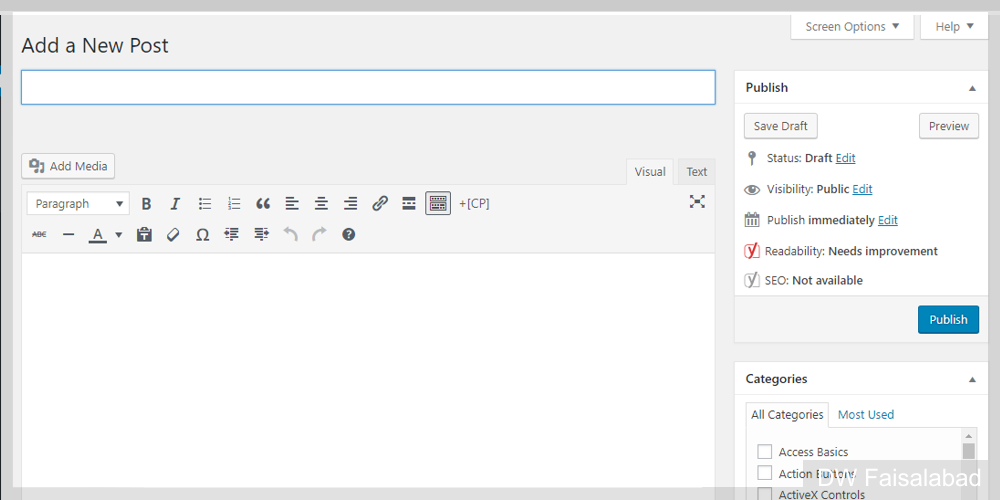
Most of the people dislike block-based editor, so its very easy to revert back to old editor. Download WordPress Classic Editor and paste it in plugin directory. Or simple go to Plugin > Add New and then search Classic Editor. Install and activate it.
Done and enjoy it.
learn more about WordPress, please visit WordPress Portal