Aligning, Ordering, And Grouping Objects

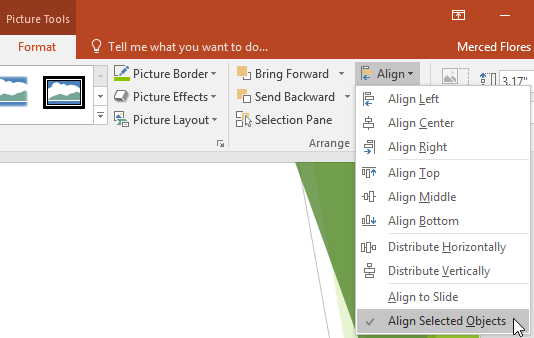
In PowerPoint, each slide may have multiple items, such as pictures, shapes, and text boxes. You can arrange the objects the way you want by aligning, ordering, grouping, and rotating them in various ways. When you move objects in PowerPoint, alignment guides and spacing guides will appear as dashed orange lines and arrows around the […]

Animating Text and Objects

In PowerPoint, you can animate text and objects such as clip art, shapes, and pictures. Animation—or movement—on the slide can be used to draw the audience’s attention to specific content or to make the slide easier to read. The four types of animations There are several animation effects you can choose from, and they are […]

Shapes in PowerPoint

Shapes are a great way to make your presentations more interesting. PowerPoint gives you a lot of different shapes to choose from, and they can be customized to suit your needs, using your own color palette, preferences, and more. While you may not need shapes in every presentation you create, they can add visual appeal. […]

Formatting Pictures in Powerpoint

There are a variety of ways to format the pictures in your slide show. The picture tools in PowerPoint make it easy to personalize and modify the images in interesting ways. PowerPoint allows you to change the picture style and shape, add a border, crop and compress pictures, add artistic effects, and more. To crop […]

Inserting Pictures in Powerpoint Slides

Adding pictures can make your presentations more interesting and engaging. You can insert a picture from a file on your computer onto any slide. PowerPoint even includes tools for finding online pictures and adding screenshots to your presentation. To insert a picture from a file: Select the Insert tab, then click the Pictures command in […]

Indents and Line Spacing

Indents and line spacing are two important features you can use to change the way text appears on a slide. Indents can be used to create multilevel lists or to visually set paragraphs apart from one another. Line spacing can be adjusted to improve readability or to fit more lines on a slide. To indent […]

Managing Lists in Powerpoint

To create effective PowerPoint presentations, it’s important to make your slides easy for the audience to read. One of the most common ways of doing this is to format the text as a bulleted or numbered list. By default, when you type text into a placeholder, a bullet is placed at the beginning of each […]