Managing User Accounts

Understand the nature of user accounts Create a new account Change an account Change the way users log on and off Understanding user accounts A user is someone who uses a computer. A user account defines what a user can do using Windows XP. In Windows XP, there are three types of user accounts. Administrator […]

Searching for Files and Folders

Search for files and folders using the Search Companion Opening the Search Companion When you have trouble finding a file or folder on your computer, search for it using Microsoft XP’s Search Companion. To open the Search Companion: Open and Start menu and choose Search. OR Open My Documents and click the Search button. OR Open My Computer and click the Search button. The Search Companion opens […]

Using the Recycle Bin

Discuss the function on the Recycle Bin Put files in the Recycle Bin Retrieve files from the Recycle Bin Empty the Recycle Bin What is the Recycle Bin? Sometimes files and folders can clutter your computer. The Recycle Bin, the desktop icon that resembles a wastebasket, is where you put a file or folder if you […]

Adding Shortcuts

Define a shortcut Add a shortcut What is a shortcut? A shortcut offers a way of performing a task more quickly, such as starting a program or accessing a document. The shortcut icon has a small arrow in the left corner to help you distinguish it from the actual icon that represents programs and files. The icon above is […]

Working with Windows Explorer

Discuss My Documents, Windows Explorer, and My Computer Navigate files, folders, and drives Move files and folders Copy files and folders Select more than one file or folder Introduction to My Documents My Documents is a folder that provides you with a convenient place to store your important files and folders. Remember, you can quickly reach My Documents in the […]

Files, Folders, and Drives

Create a file Create a folder Discuss drives What is a file? Files are collections of information. In fact, almost all of the information stored in a computer is stored in files. There are many different types of files, including operating system files, program files, and more. Different types of files store different types of information. […]

Customizing Windows XP Using the Control Panel

Navigate the Control Panel Set the time and date Customize the screen with a screensaver and wallpaper Customize the screen resolution Customize the taskbar Introduction to the Control Panel You don’t have to be a computer genius to use Windows XP, but if you know something about how to set up some basic features and […]

Moving and Sizing Windows

Use and understand the function of the Minimize, Maximize, and Restore buttons Move a window using the Title bar Click and drag to resize a window Tile and cascade windows Switch between windows Minimizing, maximizing, and restoring windows Windows allows you to easily enlarge, hide, or shrink a window using the Minimize, Maximize, and Restorebuttons. The Minimize button is among […]

Getting Familiar with the Windows XP Window

Recognize and use commonly used Windows XP toolbars Recognize and use commonly used Windows XP buttons Scroll Windows XP bars and buttons Windows XP got its name from one its most basic elements: the window. The rectangular work area for a program, file, or other task is called a window. Below is an example of a […]

Launching Programs from the Start Menu

Launch programs from the Start menu Launch Internet Explorer from the Start menu Launch Outlook Express from the Start menu Exploring programs Programs enable you to do work on the computer. For example, a word processing program like WordPad allows you to create a basic document. You can easily open a program from the Start […]

The Windows XP Desktop

Introduction Windows XP is an operating system that lets you use different types of applications or software. For example, it allows you to use a word processing application to write a letter and a spreadsheet application to track your financial information. Windows XP is a graphical user interface (GUI). It has pictures (graphical) that you […]

DW faisalabad Windows-XP

Microsoft Windows XP

Use this free Windows XP tutorial to get the Windows XP help you need to effectively use this operating system. Windows XP is an operating system that lets you use different types of applications or software. For example, it allows you to use a word processing application to write a letter and a spreadsheet application […]

Security and Maintenance with Action Center

Security and maintenance are important with any computer, and Windows 7 has made several improvements that make it easier than ever to keep your computer in good shape. In this lesson, you will learn how to use the Action Center, User Account Control Settings, and Troubleshootingto keep your computer running as smoothly as possible. You will also learn […]

Finding Your Files with Search and Libraries

At this point, you are likely ready to start organizing and accessing your files and content. Windows 7 has developed search and libraries to make it easier to find, maneuver, and customize your files. In this lesson, we will show you how to find and how to access your content through Search and Libraries. In addition, we […]

Managing User Accounts and Parental Controls

With Windows 7, everyone who uses your computer can have their own user account. This allows each person to have his or her own settings, and it allows you to set up Parental Controls to limit the types of games and programs your children are able to use. In this lesson, you will learn how to create new user […]

Getting Started with Windows 7

You may still be exploring Windows 7, or you may have already purchased the operating system. Either way, we’re now going to look at the installation process. In this lesson, you will review pre-installation preparation and learn how to install Windows 7, along with any accompanying devices and hardware. 1. Recycle Bin When you delete a file, it is […]

Installing Windows 7

You may still be exploring Windows 7, or you may have already purchased the operating system. Either way, we’re now going to look at the installation process. In this lesson, you will review pre-installation preparation and learn how to install Windows 7, along with any accompanying devices and hardware. Pre-installation preparation There are a few things you need to […]

Upgrading to Windows 7

Now that you have explored what Windows 7 has to offer, we can help you understand what’s involved in moving to this operating system. In this lesson, we will review the various versions of Windows 7 and the system requirements for running the operating system. We will discuss the process of upgrading and any considerations you need to be aware of before switching […]

Exploring Windows 7

Are you wondering about the Windows 7 operating system? Perhaps you are trying to decide if you want to upgrade from XP or Vista. Maybe you are thinking about buying a new computer and want to learn more about Windows 7 first. With these questions in mind, we explored Windows 7 and would like to […]

Widows 7 DW Faisalabad

Microsoft Windows 7

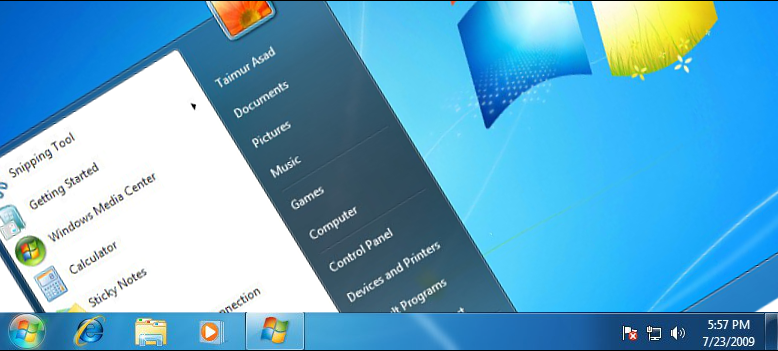
Windows 7 is an operating system launched in 2009 as an upgrade from XP or Vista. Learn how to download Windows 7 here. Microsoft Windows 7 is one of the most successful versions of the Windows operating system line ever released. Windows 7 Release Date Windows 7 was released to manufacturing on July 22, 2009. […]