Skip to content
  • About
  • Computer Languages
  • Design & Illustration
  • Donate
  • Downloads
  • My Documents
  • Office
  • References
  • School Management System
  • Technology Basics
  • Utilities
  • Welcome to the official site of DW Faisalabad
Search for:
DW Faisalabad

DW Faisalabad

Skip to content
  • Languages
    • CSS
    • HTML
    • JavaScript
  • Office
    • Adobe Acrobat
    • Microsoft Office 2016
    • SPSS
    • Shortcut Keys
  • Design & Illustration
    • Adobe Illustrator
    • Adobe Photoshop
    • CorelDRAW
  • Technology
    • Computer
    • Microsoft Windows
    • Online Safety
  • School Management System
  • Utilities
  • Blog
  • YouTube
26 APR

Connect your online storage accounts to access files in Acrobat

Acrobat and Acrobat Reader let you open and save files to online file management services, such as Dropbox, Microsoft SharePoint, OneDrive, and Box. You can access PDF files hosted on these online services either through their web interface or directly in Adobe Acrobat or Adobe Acrobat Reader.

  • Box Connector: Work with your Box files directly from within Acrobat or Reader. Learn more

  • OneDrive Connector: Work with your OneDrive files directly from within Acrobat or Reader. Learn more

  • Dropbox Connector: Access your Dropbox files directly from within Acrobat or Reader. Learn more

  • SharePoint Connector: Access your SharePoint files directly from within Acrobat or Reader. Learn more
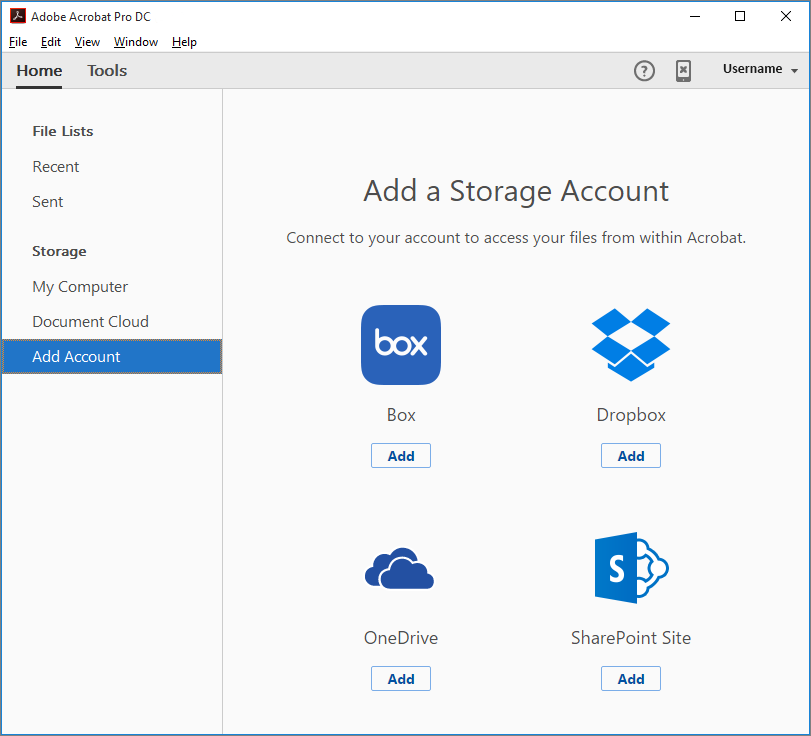
Add online storage accounts from the Home view

Categories: Adobe Acrobat Reader DC / by Zahid Farid 26th April 2018

Post Author: Zahid Farid

Related Posts '

19 JUN

Measuring 3D objects in PDFs

Use the 3D Measurement Tool to measure 3D models. You can create measurements between combinations of points or edges of the 3D...

Adobe Acrobat Reader DC Read More
19 JUN

Displaying 3D models in PDFs

In Acrobat, you can view and interact with high-quality 3D content created in professional 3D CAD or 3D modeling programs and...

Adobe Acrobat Reader DC Read More
19 JUN

Commenting on 3D designs in PDFs

Comments added to a 3D object are associated with specific views that are defined when the comments are added. If the view is...

Adobe Acrobat Reader DC Read More
19 JUN

Setting 3D views in PDFs

The default view of a 3D model lets you quickly revert to a starting point at any time as you interact with the model. A default view...

Adobe Acrobat Reader DC Read More
19 JUN

Interacting with 3D models

Change rendering mode, lighting, projection, and background The model rendering mode determines the surface appearance...

Adobe Acrobat Reader DC Read More
Search for:
Go to mobile version
