

Box sizing: Include padding and border in the element’s total width and height:
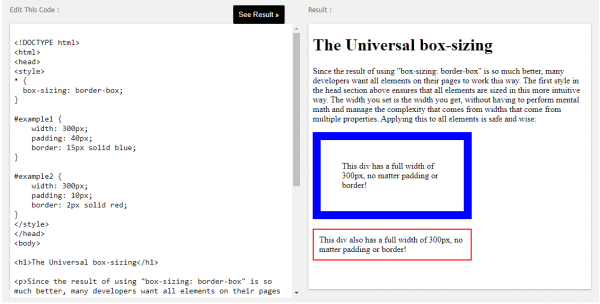
#example1 {
box-sizing: border-box;
}
More “Try it Yourself” examples below.
Definition and Usage
The box-sizing property defines how the width and height of an element are calculated: should they include padding and borders, or not.
| Default value: | content-box |
|---|---|
| Inherited: | no |
| Animatable: | no. Read about animatable |
| Version: | CSS3 |
| JavaScript syntax: | object.style.boxSizing=”border-box” Try it |
CSS Syntax
box-sizing: content-box|border-box|initial|inherit;
Property Values
| Value | Description |
|---|---|
| content-box | Default. The width and height properties (and min/max properties) includes only the content. Border and padding are not included |
| border-box | The width and height properties (and min/max properties) includes content, padding and border |
| initial | Sets this property to its default value. Read about initial |
| inherit | Inherits this property from its parent element. Read about inherit |
Example
Specify two bordered boxes side by side:
div {
box-sizing: border-box;
width: 50%;
border: 5px solid red;
float: left;
}

