

Finding files
In the previous lesson, we talked about how folders can help to keep your files organized. However, there may be times when you have rouble finding a certain file. If this happens to you, don’t panic! The file is probably still on your computer, and there are a few simple ways to find it. In this lesson, we’ll show you different techniques you can use to find your files, including searching and looking in common places.
Common places to look for files
If you’re having a difficult time finding a file, there’s a good chance you can find it in one of the following places:
- Downloads: By default, your computer will place downloaded files in a specific folder, known as the Downloads folder. If you’re having trouble finding a file you downloaded from the Internet, such as a photo attached to an email message, this is the first place you should look. To view the Downloads folder, open File Explorer, then locate and select Downloads(below Favorites on the left side of the window). A list of your recently downloaded files will appear.

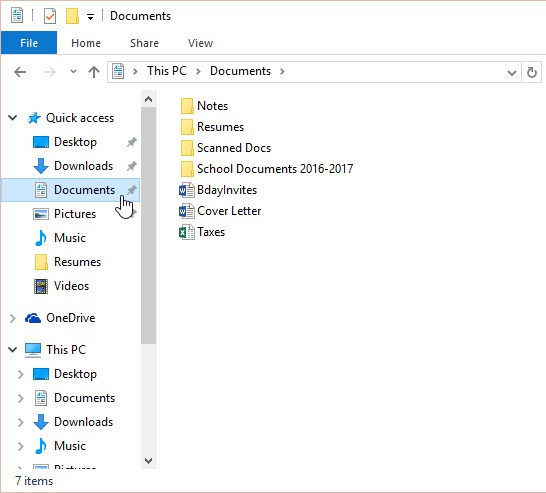
- Default folders: If you don’t specify a location when saving a file, Windows will place certain types of files into default folders. For example, if you’re looking for a Microsoft Word document, you could try looking in the Documents folder. If you’re looking for a photo, try looking in the Picturesfolder. Most of these folders will be accessible on the left side of the File Explorer window.
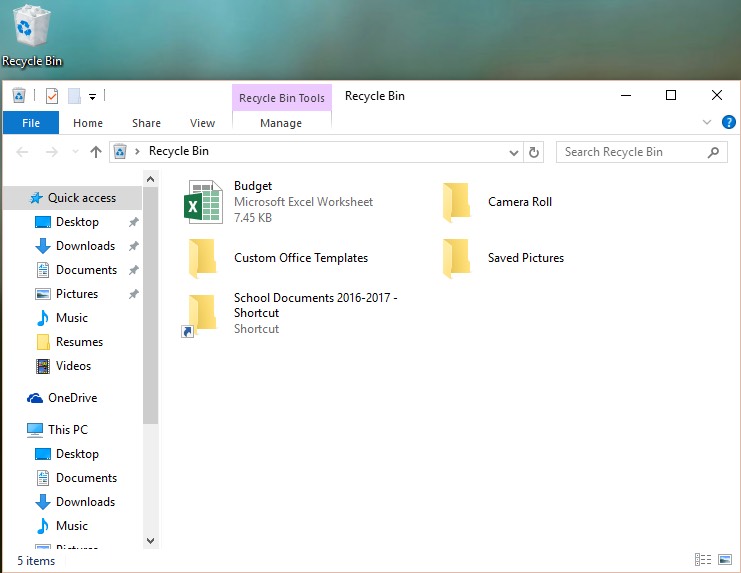
- Recycle Bin: If you deleted a file by mistake, it may still be in the Recycle Bin. You can double-click the Recycle Bin icon on the desktop to open it. If you find the file you need, click and drag it back to the desktop or to a different folder.


Searching for files
Let’s say you recently downloaded a few photos that were attached to an email message, but now you’re not sure where these files are on your computer. If you’re struggling to find a file, you can always search for it. Searching allows you to look for any file on your computer.
To search for a file (Windows 10):
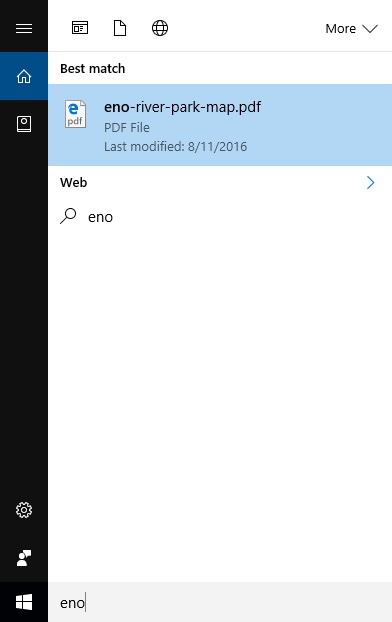
In the Cortana Search Box next to the Start button, type to search for a file. The search results will appear above the search box.

To search for a file (Windows 8):
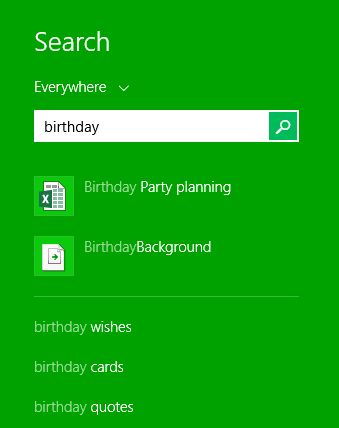
Click the Start button to go to the Start screen, then start typing to search for a file. The search results will appear on the right side of the screen. Simply click a file or folder to open it.

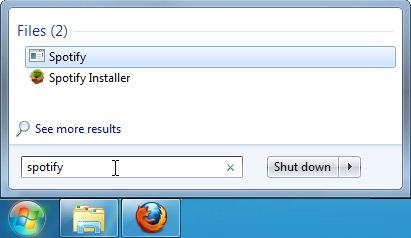
To search for a file (Windows 7 and earlier):
Click the Start button, type the file name or keywords with your keyboard, and press Enter. The search results will appear. Simply click a file or folder to open it.

Tips for finding files
If you’re still having trouble finding the file you need, here are some additional tips.
- Try different search terms. If you’re using the search option, try using different terms in your search. For example, if you’re looking for a certain Microsoft Word document, try searching for a few different file names you might have used when saving the document.
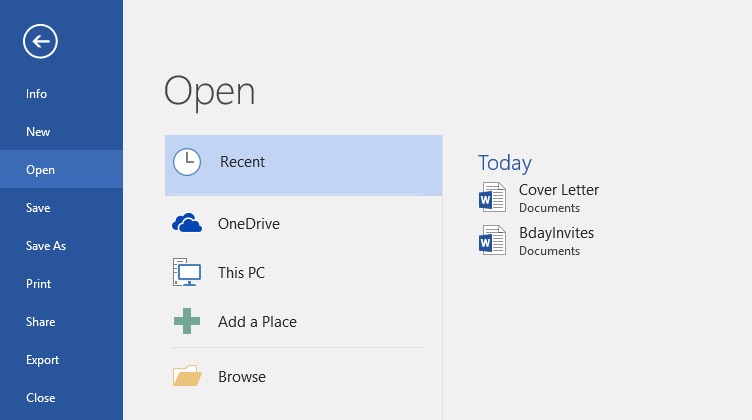
- Open the last application used to edit the file. If you know you used a certain application to edit a file, open that application and select File > Open > Recent from the menu. The file may appear in the list of recently edited files.
- Move and rename the file after finding it. Once you’ve located the file, you may want to move it to a related folder so you can find it more easily in the future. For example, if the file is a picture, you might move it to yourPictures folder. You may also want to give it a file name that will be easy to remember. You can review our lesson on Working with Files to learn more about managing files.
