


Sometime you are not confirmed whether your website are indexed on google or not. In last article we have discussed Google Indexation process but today in this post we will discuss how to check if your website is indexed on Google.
Go to www.Google.com.
write site:yourwebsitename.com for search. i.e. site:dwfaisalabad.com


In above picture, Arrow 1 show the way your need to write your website name. See Arrow 2 that shows the number of webpages which are crawled then indexed successfully by Google Search Engine. You can check your total webpages and compared them with the result that you have checked above.
You can also check more accurate result from Google Search Console. Visit and see Coverage option on left side of site. Seel below
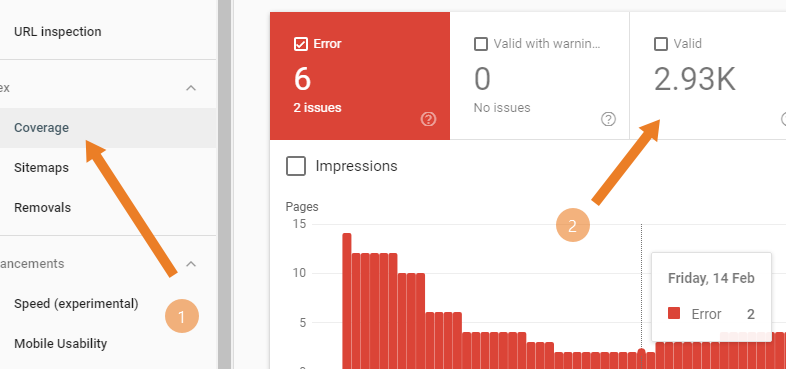

In above picture, arrow 2 shows that Google has indexed 2.93k pages. this is accurate result. So you can verify from both site; google search and Console.
On the other hand if you want to check a single website link then use the same process and style.
i.e. site:dwfaisalabad.com
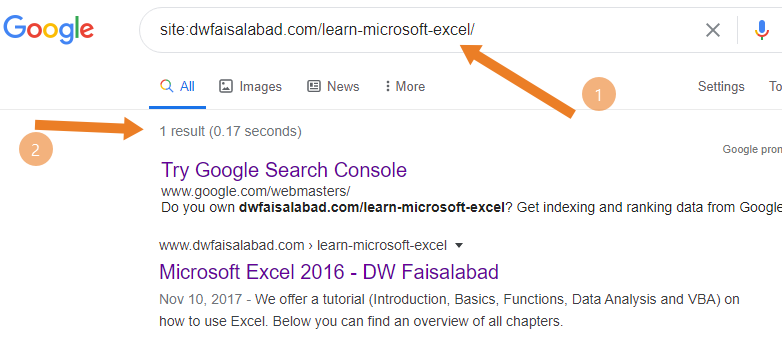

See above report, Google search engine also has indexed single link. You can search you r site or single link, if not indexed, then result will be zero. Its not a big issue if we have Google Search Console.
Now turn to something important. U can see my site indexed page on Google console is 2.93k (2900) pages and Google search engine shows 2760, so where is the gap and how to find it. There are different ways you can check you indexation staus. See below and note the difference.
While searching, put www before your site and see the result: 2760 Page


Now put “/” slash symbol at the end and see result: 941 page

Ok. Now remove www but with “/” symbol: 2580 page

Now remove “/” but with www and see result: 909 pages

Note:if you are not Google search Console user, then visit and sign up to create your account and add your website or blog there to initiate Google indexation Process. Click here and start.
Now how to test or check your single link on Google console.
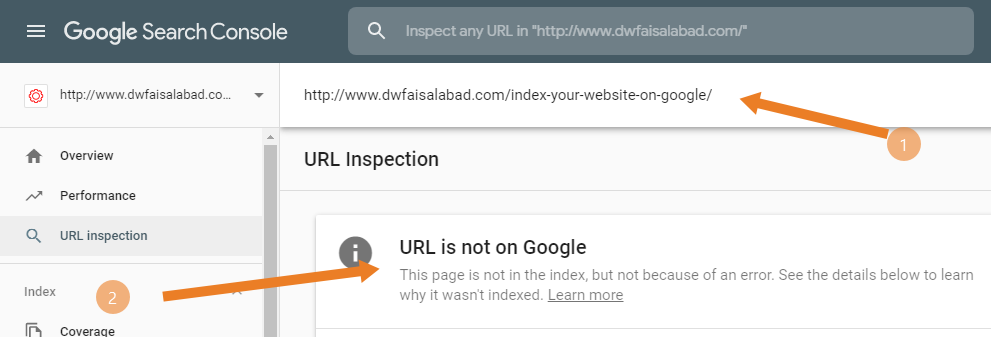
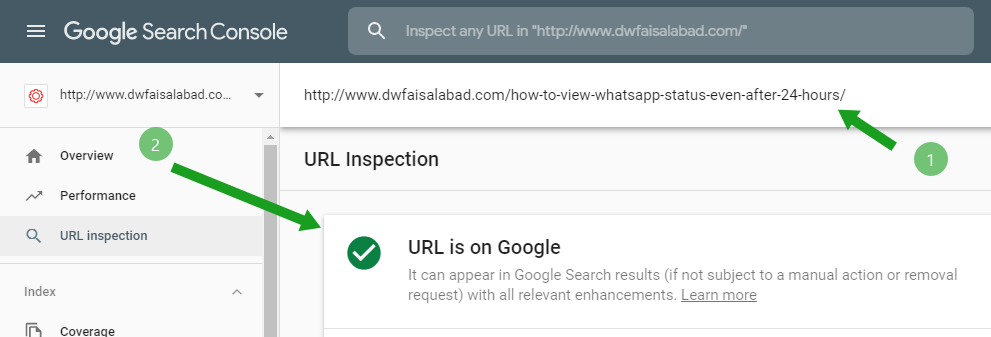
At the top of Search Console page, you will find search bar, paste you link there and hit Enter button. and see the following results.
If google index your requested URL, you will see URL IS NOT ON GOOGLE. (See below)

If google does not index your requested page. you will see URL IS ON GOOGLE. (See below)
If your page is not indexed on Google, then visit and read how to index your page.