

Create a Wireframe Globe Using Illustrator’s 3D Revolve Effect
It is surprisingly simple to create a wire-frame globe. All you need is a vector world map and a grid. And this Quick Tip.

It is surprisingly simple to create a wire-frame globe. All you need is a vector world map and a grid. And this Quick Tip.
Here are a few quick tips for rotating objects in Adobe Illustrator. We’ll be using these tips to recreate the new Photos App Icon in iOS 7. 1. Set Up Your Document Create a New document in Illustrator that is 1024 x 1024px. This is the largest size of an app icon that Apple requires, so we’ll work at […]
For all the chocolate lovers out there, here is how to create a delicious chocolate bar text effect in Illustrator. You will use the Blend Tool, effects like Roughen and Chrome, different Blending modes and also the 3D Extrude & Bevel effect to create perfect chocolate squares. Enjoy! Step 1 Open a new web document. […]
In this little quick tip you will learn how to create a simple set of dark check button. First, we’ll create a small rounded rectangle using a simple rectangle and the Rounded Corners effect. Next, using some Pathfinder and alignment options along with a bunch of basic effects we’ll add the extra details and the […]
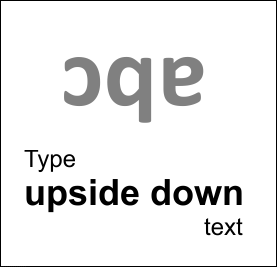
How to type upside down text. upside down ^ symbol, flip text upside down in word, how to type upside down on iphone, mirror text, backwards letters copy and paste, reading upside down text, sideways text, mirror image text, Facebook, twitter, Youtube
Making smooth looking curves and curls in vector can be tricky, especially if you’re working with hand drawn forms. In today’s Quick Tip I will show the process of outlining some extremely curly letterforms that have been hand drawn and scanned into the computer. The process can be made a little bit easier with the […]
Follow this quick tip and learn how to give some personality to common everyday symbols with the help of the Scribble effect. We will use the Appearance Panel, the Offset Path and Feather effects and we will play with the Scribble settings to turn symbols into fun colorful objects or even labels. Step 1 I […]
In this tutorial, you’ll learn how to create the iconic Batman logo using simple shapes in Adobe Illustrator. With the Ellipse Tool (L), the Shape Builder Tool (Shift + M), and an understanding of positive and negative shapes you’ll be ready with your own bat signal in no time flat. 1. Create a Base Ellipse This Batman logo […]
The retro theme is very popular today. In this tutorial I’m going to show you how to create a speech bubble in a retro style. We will draw a speech bubble with the help of the Spiral Tool and add a grunge background. So let’s jump in! Step 1 Create a new document. The width […]
In this tutorial you will learn to create a stylish x-ray print in just a few easy steps. It’s perfect for stylized typography or even an element for an illustration. Let’s begin! Step 1 Create a new 256 by 256px document Step 2 Select the Rectangle Tool (M) and click the art-board. Set the dimensions […]
Follow this quick tip and learn how to create glossy rating stars. We will add highlights with the help of the Blend Tool and an Art brush and this way we will obtain a pretty simple glossy look. Also, depending on the color palette of some websites we will try different variations of colors. Step […]
Illustrator’s stroke panel got a major overhaul in version CS5. In this video, we break it down for you, section by section. See how to add dashed lines, arrowheads, width profiles and more.
Swatches are the life line of any artwork. There are a lot of color books available in Illustrator to discover a wide range of swatches. Most popular among them are the Pantone Color Books and default CMYK and RGB swatches. In this tutorial, we will learn how to create a wide range of custom swatches […]
A symbol is an art object that you can store in a document, and reuse multiple times in your artwork. Using symbols can save time and greatly reduce the size of your files. Here’s a quick overview of how they work..
Illustrator’s Transform effect makes it quick and easy to create a pattern from any object. Add some careful highlighting and gradients, and you’ve got a metallic industrial background.
One cool trend in logo design is the use of repeating shapes, associated with gradients and transparency. While this style of logo tends to be a bit overused, and may not be suitable for all projects, imitating it is a great way to learn about one of Illustrator’s most powerful and time-saving features, which is […]
Illustrator’s Type Tool: A Comprehensive Introduction A few times a each month we revisit some of our reader’s favorite posts from throughout the history of Vectortuts+. This tutorial by Ian Yates was first published on October 4th 2008. Type is an essential part of Illustrator; whether you’re desktop publishing, designing logos, or using type for […]
Specify a 4 pixels solid red outline 15 pixels outside the border edge: div { outline: 4px solid red; outline-offset: 15px; } Try it Yourself » Definition and Usage The outline-offset property adds space between an outline and the edge or border of an element. The space between an element and its outline is transparent. Outlines differ from […]
Set a color for the outline: div {outline-color: coral;} Try it Yourself » More “Try it Yourself” examples below. Definition and Usage An outline is a line that is drawn around elements (outside the borders) to make the element “stand out”. The outline-color property specifies the color of an outline. Note: Always declare the outline-style property before the outline-color property. […]
Set a style for the outline: div {outline-style: dotted;} Try it Yourself » More “Try it Yourself” examples below. Definition and Usage An outline is a line that is drawn around elements (outside the borders) to make the element “stand out”. The outline-style property specifies the style of an outline. Default value: none Inherited: no Animatable: no. Read […]