

Introduction
In SPSS we sometimes find ordinal variables where lower values indicate more positive attitudes or larger quantities. An example is shown in the screenshot below.


Now, the coding scheme shown above is not really ‘wrong’ in any way. However, we usually prefer higher values indicating more positive attitudes or larger quantities because we find this more intuitive. Therefore, we’ll sometimes want to ‘reverse code’ variables.
SPSS doesn’t offer an easy option for doing so. The best approach is using RECODE. However, this requires adjusting the value labels too; with regard to our first example, if you change 5 to 1, then the value label for 1 should become “Very bad”. So we need to recode with value labels rather than just recode. But doing so for all values is quite a bit of work and mistakes are easily made.
We therefore built our SPSS Recode Values with Value Labels Tool. Apart from reverse coding, the tool can be used to reorder values and their corresponding value labels according to different schemes too, which is often necessary after using AUTORECODE.
We’ll demonstrate our tool using inconsistent_coding.sav, shown below. You can follow along with the steps in this tutorial by downloading and opening this file.
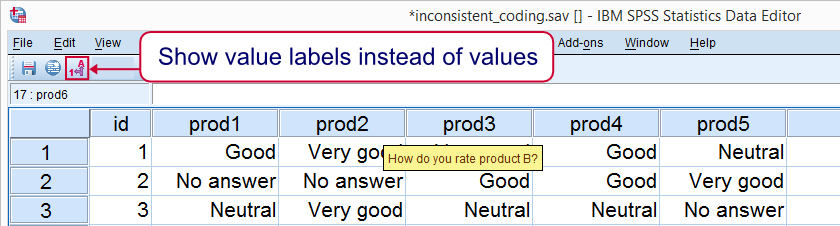

Inconsistently Coded Variables
Right, our data look pretty normal at first glance. However, different variables use different coding schemes. This becomes apparent upon running FREQUENCIES as shown in the syntax below.
Result


Now, when we carefully inspect all output, we’ll find that prod3, prod4, prod8 and prod9 need to be reverse coded. So let’s get it done.
SPSS Recode with Value Labels Tool – How to Use it?
- First note that this tool requires SPSS version 18 or higher with the SPSS Python Essentials properly installed.
- Download and install the SPSS Recode Values with Value Labels Tool. Note that this is an SPSS Extension Bundle.
- Go to

- The screenshot below shows how to specify 1) which variables you’d like to recode, 2) which values you’d like to recode and 3) which values you’d like to replace those with. The example below replaces values 5 through 1 with 1 through 5.


Clicking results in the syntax below.
Inspecting the Results
Running the aforementioned syntax reverse codes the specified variables. After doing so, we can do a ‘quick and dirty’ inspection by rerunning our frequency tables and comparing them to the previous ones. The results for prod3 are shown below.

For a more thorough inspection, you could use our SPSS Clone Variables Tool before you recode any variables. Doing so allows you to compare the recoded variables with their original counterparts by running CROSSTABS.