This is the first sheet that is very important for the rest of evaluation and calculation. You can not calculate anything unless the completion of this sheet.
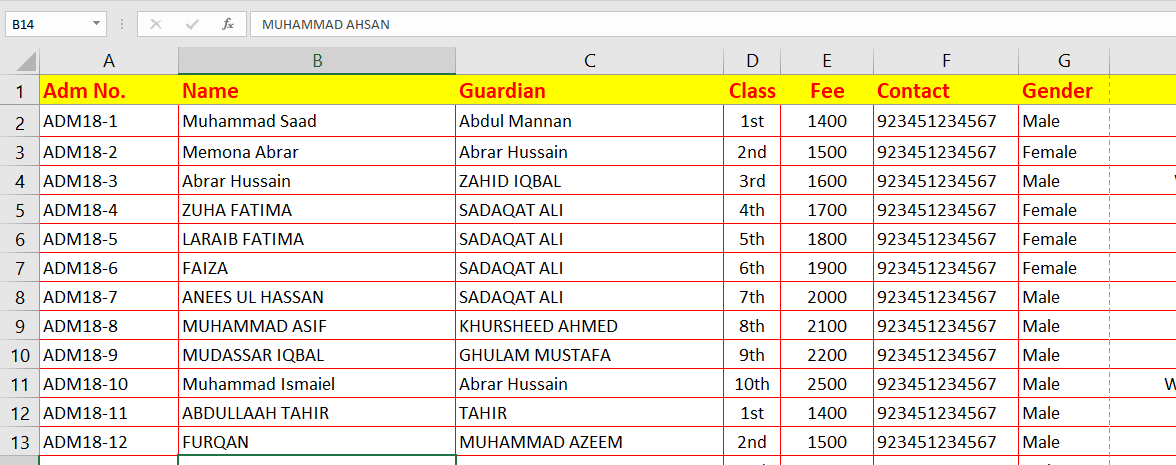
In this first sheet you will find the following important headings
- Admission No.
- Student Name
- Guardian
- Class
- Fee
- Contact
- Gender
- DOB (Date of Birth)
- Admission Date
You can add/less more heading according to you requirements.

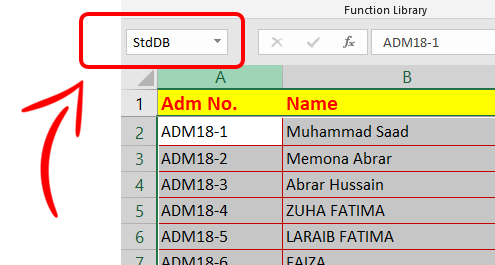
StdDB
Student Database Sheet is named as “StdDB”. Select all the table range of your student database list and give it name
Learn How to give name to your table (Range)

While typing fee value, it is possible that you type wrong value, (i.e. to type 1400, you have typed 14000 mistakenly) to avoid this we need to create fee rules so that if we type class value, its fee value automatically written in next column with the help of vlookup formula.


Student Fee column will work with “vlookup” formula. School fee column value is fetched with vlookup formula from another sheet (Rules.xml)
Rules Sheet
If You see to the left bottom of database sheet, you will see another sheet names Rules

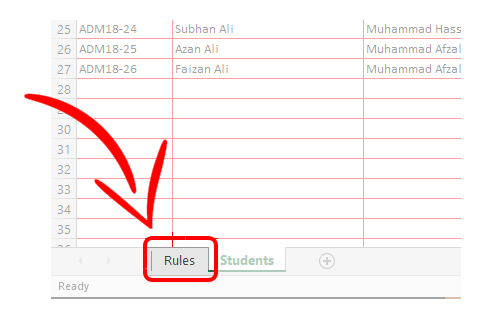
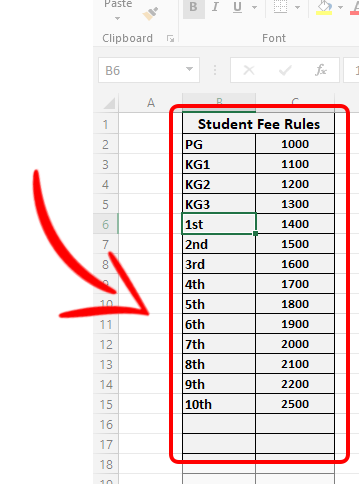
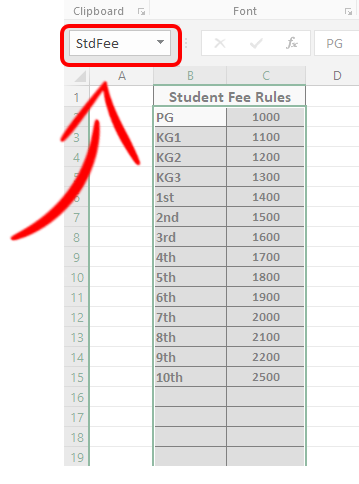
In this sheet we will manage all the rules the might be used in other function of other sheets. In the following figure you see only one table of Class fee rules from Play Group (PG) to 10th standard. In this sheet, there are only two columns (Class Name and Fee).