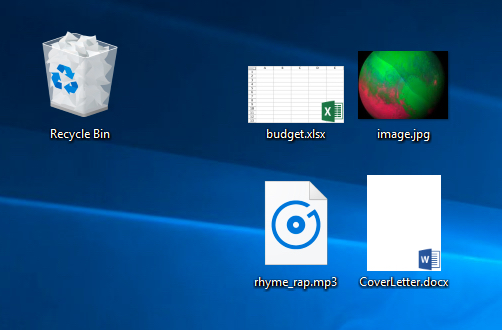
Your computer has many different types of files on it, and each one has its own file extension. A file extension is a three- or four-letter identifier found at the end of a file name and following a period. These extensions tell you about the characteristics of a file and its use. In this lesson, we’ll go over some examples of these extensions, as well as how to determine a particular file’s extension.
Examples of file extensions
- A JPEG uses the .jpg or .jpeg extension (for example, image.jpg).
- A Word document uses the .docx extension, or .doc for older versions (for example, CoverLetter.docx).
- An MP3 audio file uses the .mp3 extension (for example, rhyme_rap.mp3).
- An Excel spreadsheet uses the .xlsx extension, or .xls for older versions (for example, budget.xls).
Hidden file extensions
You can also usually tell what the file type is by looking at the file’s icon. For example, the Word document looks like a file with a W in the corner, while an Excel spreadsheet looks like a file with an X in the corner.