

Styling Links
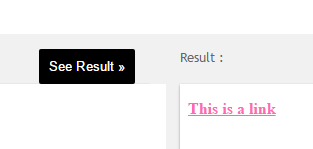
Links can be styled with any CSS property (e.g. color, font-family, background, etc.).
Example
a {
color: hotpink;
}
In addition, links can be styled differently depending on what state they are in.
The four links states are:
- a:link – a normal, unvisited link
- a:visited – a link the user has visited
- a:hover – a link when the user mouses over it
- a:active – a link the moment it is clicked
Example
/* unvisited link */
a:link {
color: red;
}
/* visited link */
a:visited {
color: green;
}
/* mouse over link */
a:hover {
color: hotpink;
}
/* selected link */
a:active {
color: blue;
}
When setting the style for several link states, there are some order rules:
- a:hover MUST come after a:link and a:visited
- a:active MUST come after a:hover
Text Decoration
The text-decoration property is mostly used to remove underlines from links:
Example
a:link {
text-decoration: none;
}
a:visited {
text-decoration: none;
}
a:hover {
text-decoration: underline;
}
a:active {
text-decoration: underline;
}
Background Color
The background-color property can be used to specify a background color for links:
Example
a:link {
background-color: yellow;
}
a:visited {
background-color: cyan;
}
a:hover {
background-color: lightgreen;
}
a:active {
background-color: hotpink;
}
Advanced – Link Buttons
This example demonstrates a more advanced example where we combine several CSS properties to display links as boxes/buttons:
Example
a:link, a:visited {
background-color: #f44336;
color: white;
padding: 14px 25px;
text-align: center;
text-decoration: none;
display: inline-block;
}
a:hover, a:active {
background-color: red;
}

