

CSS3 has new user interface features such as resizing elements, outlines, and box sizing.

In this chapter you will learn about the following user interface properties:
- resize
- outline-offset
CSS3 Resizing
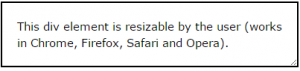
The resize property specifies whether or not an element should be resizable by the user.
The following example lets the user resize only the width of a <div> element:
Example
div {
resize: horizontal;
overflow: auto;
}
The following example lets the user resize only the height of a <div> element:
Example
div {
resize: vertical;
overflow: auto;
}
The following example lets the user resize both the height and the width of a <div> element:
Example
div {
resize: both;
overflow: auto;
}
CSS3 Outline Offset
The outline-offset property adds space between an outline and the edge or border of an element.
Outlines differ from borders in three ways:
- An outline is a line drawn around elements, outside the border edge
- An outline does not take up space
- An outline may be non-rectangular
The following example uses the outline-offset property to add a 15px space between the border and the outline:
Example
div {
border: 1px solid black;
outline: 1px solid red;
outline-offset: 15px;
}
CSS3 User Interface Properties
The following table lists all the user interface properties:
|
Property
|
Description
|
|---|---|
| box-sizing | Allows you to include the padding and border in an element’s total width and height |
| nav-down | Specifies where to navigate when using the arrow-down navigation key |
| nav-index | Specifies the tabbing order for an element |
| nav-left | Specifies where to navigate when using the arrow-left navigation key |
| nav-right | Specifies where to navigate when using the arrow-right navigation key |
| nav-up | Specifies where to navigate when using the arrow-up navigation key |
| outline-offset | Adds space between an outline and the edge or border of an element |
| resize | Specifies whether or not an element is resizable by the user |


