

This example illustrates how to use the union and intersect operator (borders below for illustration only) in Excel.
1. The union operator (comma) adds two ranges.
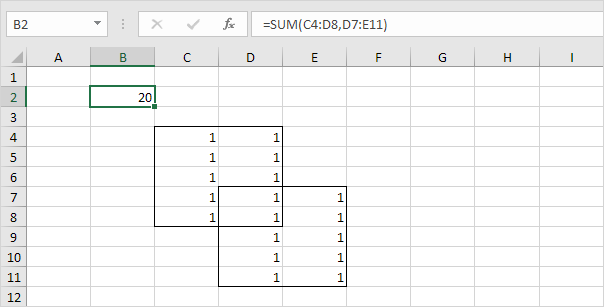
Explanation: the SUM function reduces to =SUM(C4:D8) + SUM(D7:E11), 20.
2. The intersect operator (single space) returns the intersection of two ranges.
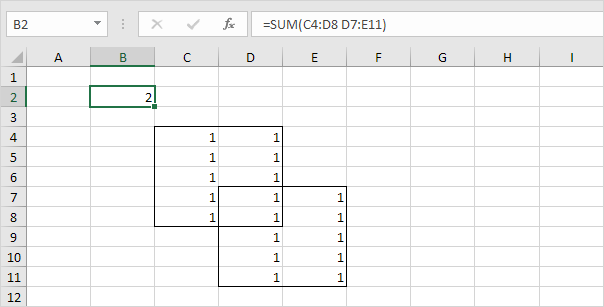
Explanation: the SUM function reduces to =SUM(D7:D8), 2.
.

