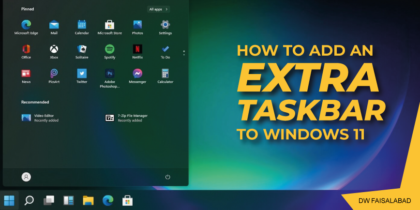
How to Add an Extra Taskbar to Windows 11

If you have too many apps for one taskbar to handle, why not add more taskbars to Windows 11 with Linkbar? Default taskbar in Windows 11 can only include so many shortcuts. If you add more shortcuts to it, there will also be less space available for minimized windows. As such, adding another taskbar to […]

How to fix Application Not Found error in Windows

The Application not found error message pops up now and then on users’ computers. Obviously, it is an application error. But what causes this Windows application error? The root reason is that the system registry points to a certain location where there’s no application (of course, the missing of application can also cause such error). That is […]

How to enable Caret Browsing in Windows 10/11

Caret Browsing is a feature in Windows 11/10 with the help of which, you can using the navigating keys on the keyboard, select the text & move it around within a webpage. You can select and copy snippets of text as short as a single character by using only the keyboard. Other content types such […]

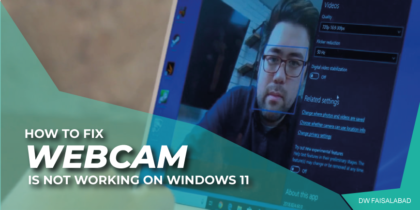
WebCam or Camera is not working on Windows 11

Most modern PC’s come with a built-in Camera. You can grant Camera access to certain apps like video calling apps. But many times, the Windows 11 Web Camera may not work; the underlying issues may be many, from faulty setup to denied access. Possible Reasons Windows 11 camera may stop working due to one or […]

The known Issues in Windows 11

Microsoft launched Windows 11 build 22000.100 to Insiders running Dev builds. The cumulative update brings with it – among other things – improvements to the taskbar UI and the system tray, adding subtle design improvements, in line with the Windows 11 experience. Future Windows 11 releases (Dev Channel) 5th October Windows 11 release (Beta Channel and, previously, […]

Enable Hibernate Option in Windows 11 Start Menu

Like Windows 10, Windows 11 comes with the Fast Startup feature to boot quicker. Hence, you can opt for the hibernation option instead of shut down. By default, hibernation remains enabled on most Windows 11 PCs, but you will not find it on the power menu. If you would like to add Hibernate option on […]

Copy & Paste Multiple Items With Clipboard History in Microsoft Windows 10

The Main purpose of these shortcuts is to get work done quicker. The most commonly used shortcuts on Windows OS undoubtedly have been Ctrl+C (copy) and Ctrl+V (paste) which allow a user to copy and paste a word, image, file or a document from one location to another. Turn on clipboard history feature ON Follow […]

Fastest Way to Clear Cookies and Cache in Chrome on Windows 10

When you visit website, it will created cookies to store browsing info, like your site preferences or profile info, and your browser’s cache, which stores web pages, images, CSS, audio, video and other downloaded content , can help pages load faster, make it easier for you to browse the web. However, not all cookies are […]