How to install Microsoft .NET Framework on Windows 7 Operating System

I knew, you tried a lot to solve the blow error but at the end of your effort, I’m suggesting you to try the below step to install Microsoft .NET Framework installation. Whatever the version of Microsoft .NET Framework you want to install on whatever the version and architecture of Windows 7 operating system. Trust me guys! […]

DDR4 differences and advantages over previous generation modules

DDR4 Double data rate fourth generation (DDR4) is a memory standard designed as a better, faster, more reliable replacement for DDR3 Key Features Density: 2 GB to 128 GB Increased performance and bandwidth (up to 3200 MT/s) Decreased voltage for better power consumption Provides better reliability, availability and serviceability (RAS) and improves data integrity Lower […]

How to Set Up Dual Monitors in Windows 11

we’re using two monitors, but the basics will work for three or even four displays. How many monitors you really need depends on your unique use case; however, most people should be able to get the job done with two or three monitors. Once you get up to four, you’re going to need a multiple monitor […]

How to Change Your IP Address

This article explains how to change your IP address manually by switching from the router’s assigned DHCP address to a static one on Windows. It also covers how to change your router’s public IP address, which appears as the public IP address of every device on the network unless you use a VPN. You can also […]

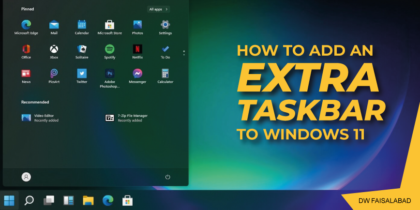
How to Add an Extra Taskbar to Windows 11

If you have too many apps for one taskbar to handle, why not add more taskbars to Windows 11 with Linkbar? Default taskbar in Windows 11 can only include so many shortcuts. If you add more shortcuts to it, there will also be less space available for minimized windows. As such, adding another taskbar to […]

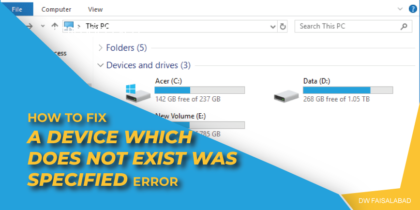
How to Fix “A device which does not exist was specified” error

When you encounter this issue, you’ll receive the following full error message; Location is not available H:\ is not accessible. A device which does not exist was specified. Affected PC users may also notice that in Device Manager, the problematic disk is listed as Unknown Disk, but it still works correctly when you click on the […]

How to Fix “You do not have sufficient rights to perform this operation” Error

Why I don’t have sufficient right to format my USB flash drive? 1. Format the Drive from the Disk Management Tool In the search bar, type Disk Management and open “Create and format hard disk partition“. In the Disk Management window, right-click on your USB flash drive and select Format. Make sure the File System is set to NTFS and allocation unit […]

How to Share a Printer on a Network (Windows 10)

In this article we will discusas about how to share printer on a network (Computer 1 and computer 2) having windows 10 installed on both computers. Computer 1 (Main) Setting Network Private Advanced sharing settings Device Setting (Sharing Printer) Computer 1 (Client) Setting Network Private: Revise this step as done in main Computer above Advanced […]

How to Fix Error Code 0xc0000005 in Windows

Error Code 0xc0000005 in Windows

Error Code 0xc0000005 could be caused by several reasons in a Windows PC like damaged or low RAM, malware infection, corrupt registry files, wrong hardware configuration, etc. It’s one of the most commonly seen error that pops up in a Windows system mainly in three different situations, Windows Installation Error The error halts the Windows OS […]

How to enable or disable mono audio in Windows 10

Introduction: Modern electronic devices such as PCs and video players allow users to easily switch the audio channel between stereo and mono in an instant. That said, a majority of us do not know the difference between the two, namely, mono and stereo audio. We will know more about this and will also see the […]

How to enable or disable mono audio in Windows 10

How to Make Your Windows PC Use “Mono” Audio

How to enable or disable mono audio in Windows 7/8/10 How to Make Your Windows PC Use “Mono” Audio (So You Can Wear One Earbud) Most audio you listen to is in “stereo”, which means that different things are played in through both the left and right speakers. However, you can have your PC mix the […]